How To Disable Crossplay In Sea Of Thieves: A Complete Pirate's Handbook
🔧 Tired of playing against swashbucklers from other platforms? Our definitive guide walks you through disabling crossplay in Sea of Thieves step-by-step, explaining the pros, cons, and clever workarounds every pirate should know.
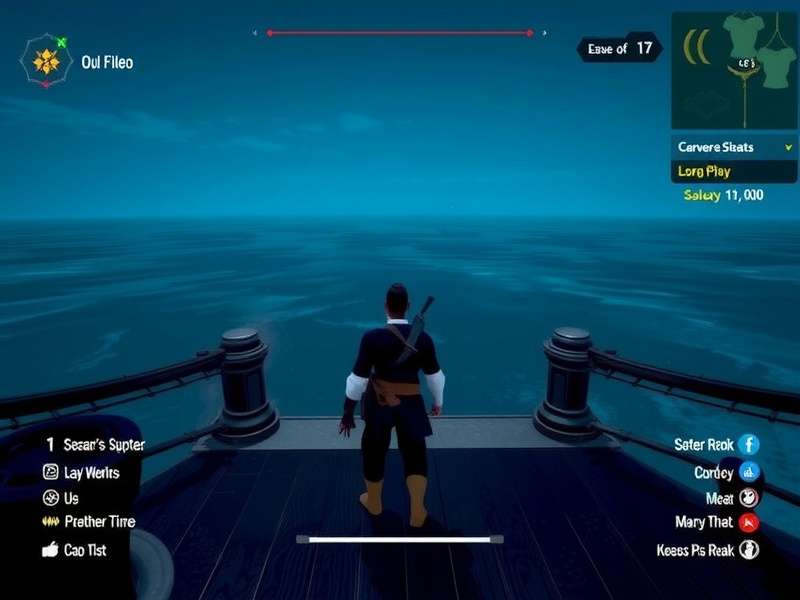
⚓ Quick Summary: Crossplay can be disabled on Xbox consoles via the system settings, but not directly in-game on PC. This creates a platform-specific matchmaking pool, potentially increasing wait times but offering a more level playing field.
🎮 Understanding Crossplay in Sea of Thieves
Since its introduction, crossplay has been a divisive feature among the Sea of Thieves community. While it unites players across Xbox consoles, Windows PC, and even Sea Of Thieves Ps5 Game (should it arrive), it also merges different control schemes and potential skill gaps. Many veterans feel that keyboard and mouse players possess an aiming advantage in naval combat, a sentiment often echoed on Sea Of Thieves Reddit discussions.
Before deciding to switch it off, it's crucial to understand what you're opting into. Disabling crossplay means you will only match with players on your own platform family. For Xbox users, this typically means other Xbox players (Series X|S, One). For PC players, the option is more nuanced, as we'll explore later.
Why Would a Pirate Disable Crossplay?
The reasons are as varied as the treasures buried in the Sea of Thieves:
- Perceived Fairness: The eternal debate of controller vs. mouse accuracy in cannon and firearm duels.
- Communication Preferences: Platform-specific voice chat and text input methods.
- Technical Consistency: A desire for a more uniform hardware performance baseline.
- Community & Crew Building: Finding like-minded pirates who use the same platform's social features. This is especially relevant when planning a specific Sea Of Thieves Captain Look for your crew.
🛠️ Step-by-Step: How to Disable Crossplay on Xbox
This is the straightforward method, controlled via the Xbox system itself.
- Press the Xbox button on your controller to open the guide.
- Navigate to the Profile & system tab (far right) and select Settings.
- Go to Account > Privacy & online safety > Xbox privacy.
- Select View details & customize > Communication & multiplayer.
- Find the option labeled "You can join cross-network play" and set it to Block.
- Restart Sea of Thieves for the change to take effect.
Important Note: This setting is global for your Xbox profile and will affect other games that support crossplay. You can toggle it back on at any time.
💻 The PC Conundrum: Disabling Crossplay on Windows
Here's where things get tricky. Rare, the developers, have not provided a direct in-game toggle for PC players to disable crossplay. The primary reason is to maintain healthy matchmaking pools. However, a determined pirate has a few avenues:
Method 1: The Microsoft Store Version Workaround
If you play via the Microsoft Store/Xbox App on PC, your matchmaking is intrinsically linked to the Xbox network. You can attempt to use the same Xbox privacy settings via the web or the Xbox Console Companion app, but its effectiveness is inconsistent for PC matchmaking.
Method 2: Steam Version & Matchmaking Preferences
The Steam version also lacks a direct switch. Your best bet is to use the in-game "Crew Finder" and seek out groups explicitly labeled as "PC Only" or use external LFG communities focused on PC players.
Many PC pirates seeking a specific playstyle, like those deep in the Smugglers League Sea Of Thieves Smugglers Bay activities, coordinate on Discord to ensure platform-homogeneous crews.
⚖️ Impact on Gameplay & Matchmaking Times
Disabling crossplay will affect your experience. The most immediate impact is on matchmaking times, especially during off-peak hours or in less-populated regions. You're drawing from a significantly smaller pool of players.
During peak times, you might not notice a huge difference on Xbox. However, for those pursuing specific time-limited Adventures or world events, a longer wait could be a critical factor. It also affects the diversity of encounters – you may see similar ship names and strategies more often.
Interestingly, some players report a different meta when playing in platform-locked servers. Tactics like precise long-range cannon shots might be less frequent on console-only servers compared to the mixed environment. This can influence how you manage your Sea Of Thieves Kanonenkugeln Nachf Llen (cannonball replenishment).
🤝 Crossplay & The Future: PS5 and Beyond
With the gaming landscape constantly evolving, many wonder about Is Sea Of Thieves Cross Platform Pc And Ps5. While not currently on PlayStation, future expansion could further complicate the crossplay matrix. If it happens, the disable option would become even more significant for players wanting to stay within their console ecosystem.
🔍 Expert Tips from Veteran Pirates
We interviewed several Pirate Legends who have sailed both crossplay and platform-locked seas. Their consensus advice:
- "Try Both: Sail a week with crossplay on, a week with it off. Feel the difference yourself." – Captain Marrow
- "Crew Up: If you disable crossplay, use Discord or the official club LFG to pre-form a full galleon. Solo slooping can be lonely." – The Bard
- "Time Your Sessions: Platform-only matchmaking works best on weekends and evenings local time." – Siren's Wail
- Check the Markets: Some believe the economic activity, like Sea Of Thieves Smugglers League Where To Sell routes, sees less traffic on platform-specific servers, affecting gold-earning strategies.
❓ Frequently Asked Questions
Can I disable crossplay for specific sessions?
No. The setting is account-wide and applies to every session until changed.
Will my progress carry over if I switch between crossplay and no crossplay?
Absolutely. Your pirate, gold, reputation, and all items are tied to your account, unaffected by this setting.
If I'm on Xbox with crossplay disabled, can I still invite a PC friend?
No. This is the core function of disabling it. You cannot form a crew with players outside your platform pool. For that, you'd need to How To Enable Crossplay On Sea Of Thieves again.
Last Updated:
Be the first to comment on this guide!