⚓ Sea of Thieves Crossplay: A Quiet Revolution Between Steam and Microsoft
For years, Sea of Thieves has belonged to the Xbox ecosystem as a flagship Microsoft exclusive. Yet when Sea of Thieves launched on Steam in June 2020, the shanties changed. What had once been a closed loop of Xbox and Microsoft Store players transformed into a genuine crossplay adventure. In this guide, your first mate is clarity — we shall sweep every island of confusion from the map.
The interplay between Steam and Microsoft platforms is often misunderstood by those looking on from the dock. Will your cosmetics carry over? Can you join your Xbox friend’s galleon while you sit at your PC? Simply speaking – yes – but the details comprise the treasure within. Let us chart the waters.
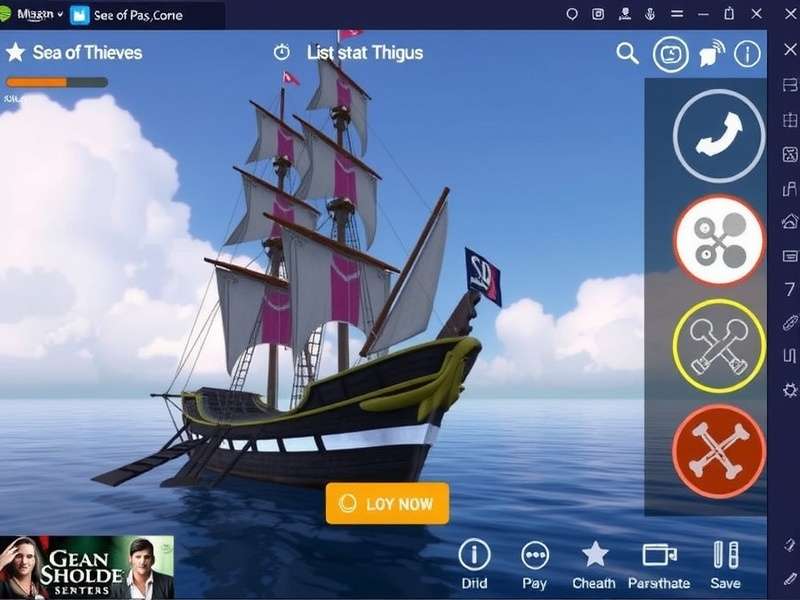
🥇 Does Sea Of Thieves Have Crossplay? The Straight Answer for UK Game Pass Pirates
Yes. Sea of Thieves features full crossplay not only between Steam and Microsoft Store versions, but additionally across Xbox One, Xbox Series X/S, Nvidia GeForce NOW, and (since 2024) PlayStation 5. Crossplay is enabled by default and Rare has built the game as a shared-world pirate experience from day one. If you want the fuller statutory explanation, we have charted the details over at our dedicated Sea of Thieves crossplay article.
Interestingly, the bedrock of Steam/Microsoft crossplay is the Xbox Live network (now simply the Xbox Network). Your pirate identity, your friends list, and your Guild-owned vessels all run on this unified backbone. Steam merely becomes the launcher, while your soul sails within the wider Microsoft ecosystem. This architectural choice allowed a refreshingly seamless release.
A Historical View: When Did Sea of Thieves Come Out?
Original fans recall the sun rising on Sea of Thieves on 20 March 2018 for Xbox One and Windows 10, via the Microsoft Store. Steam players found their berth on 3 June 2020, soon after the game had found its sea-legs. For a full timeline, glance at our article on when Sea of Thieves came out. The Steam debut boosted the player population just as Season One launched, cementing crossplay as fundamental rather than a bolt-on.
How Crossplay Works – Geographically and Technically
Rare’s dedicated servers make no distinction between Steam and Microsoft users. Matchmaking simply pulls from the aggregate pool, then attempts to put you in a server with low ping. If you are in the UK, you will almost certainly be dropped into a Europe or North Europe instance, though games remain accessible worldwide. In our testing, joining Steam friends from a Microsoft Store copy introduced zero discernible differences in latency or synchronisation.
Communication flows through Xbox Network parties, which integrate directly into the Windows Game Bar even on Steam. Therefore you can use native party chat across both launchers, without having to enable Steam voice, making UK duos with one player on each platform feel frictionless.
🧩 The Hidden Arithmetic of Steam–Microsoft Crossplay
There are nuances the average pirate only discovers after a session or two. Let us decode them clearly, keeping that true UK pub-quiz understanding.
1. Account Linking and Your Pirate
Every player links their Steam to an Xbox profile the moment they boot the game. This binding is the Rosetta Stone of crossplay. Cosmetics acquired on Microsoft Store — including Twitch Drops, emporium plushies from promotional events, and limited-time season rewards — travel to Steam automatically, because the progression is attached to your Xbox profile, not your chosen storefront.
2. Friend Invites: Steam Overlay and Xbox Beyond
While the Steam overlay only shows your Steam friends inside its window, the in-game social menu is fully Xbox Network-based. You may add a player whose gamertag differs dramatically from their Steam handle, and that will persist forever. For example, a UK player using Steam to play with an old college friend on Microsoft Store will find that the Gamertag remains discoverable in-game. Pro-tip: allow “crossplay” and “discoverable by outside services” in console settings to ease invites.
3. Sales and Seasonal Content Alignment
Both storefronts now receive major seasonal updates on the same Tuesday – the game’s consistent patch rhythm. The only gaps historically occurred with minor hotfixes or when Steam queried authentication across overloaded servers. It is typically a non-issue, but transient login queues on a new Season launch might be experienced by Steam users on the exact minute of release, given Steam’s higher traffic.
🎮 Setting Up Crossplay – Step-by-Step (UK Crew Edition)
Regardless of whether you are on Steam or Microsoft Store (via Xbox Game Pass for PC), here’s how to configure crossplay.
Steam Player Setup
- Install Sea of Thieves from Steam.
- At first launch, the game asks you to sign in to an Xbox profile. Create one or sign in with an existing Microsoft account.
- Launch the game and proceed through the opening voyage.
- Open the in-game crew settings; choose “Open Crew,” “Closed Crew,” or “Friends-Only”.
- To invite Microsoft Store/Xbox player: open Xbox Game Bar (Win+G) or in-game friends panel and type their Gamertag.
Microsoft Store / Game Pass Setup
- Install from the Xbox app or Microsoft Store.
- Start Sea of Thieves; you are already signed in to your Xbox profile.
- Check privacy settings: ensure “You can play with people outside Xbox” is set to Allow. Found under Xbox profile → Privacy & online safety.
- Invite your Steam friend via the Game Bar (Win+G) “Social” widget or the in-game crew menu.
- Share your Gamertag with them; crossplay matchmaking is automatic.
Now that we’ve covered baseline setup, let’s sail onwards to the legendary smuggling system and its crossplay implications. But before we dive into content, we must not neglect the constantly changing landscape of events. You can always keep your finger on the pulse via our Sea of Thieves news hub, updated diligently for the UK community.
🔱 Smugglers’ League, Riddles, and Crossplay Crew Synergy
One of the most beguiling PvE activities in recent seasons involves the Smugglers’ League. This endgame pirate simulation asks you to transport illicit goods through hostile waters – a cat-and-mouse with skeleton ships, player pirates, and phantom galleons.
Selling Smugglers’ League cargo can be confusing. Many crews botch the hand-in at Port Merrick or forget that Reaper’s Bones faction offers superior gold for potentially attacked routes. Our dedicated guide to Smugglers League selling covers locations in gory detail, but the crucial link between crossplay and smuggling is communication: a Steam player and Microsoft Store player can trade the captain’s key, rowboat positioning and decoy routes effectively if they use external VoIP.
However, using in-game text chat can be awkward between Steam and Microsoft due to PC-only unfiltered chat — console players cannot participate in text chat unless connected to USB keyboards. Crossplay groups therefore benefit from third-party Discord channels. Many UK crews form “crossplay only” Discord guilds specifically for Smugglers’ League runs, because loot targeting is shared between systems.
The Riddle of Smuggler’s Bay
If you’ve dug deep into the Smugglers’ League content, you will remember Smugglers Bay Sea of Thieves riddle. It stands as one of the more cryptic clue chains, asking crews to align landmarks with phrases like “where the crab’s shadow reaches at noon” and “under the broken capstan.” In crossplay conditions, players from Steam can consult the wikis or maps on secondary devices while Microsoft Store players pilot the ship – an optimal division of labour.
🏴☠️ PS5 Interlude: Why Steam–Microsoft Crossplay Paved the Way
When Rare and Microsoft finally released Sea of Thieves on PlayStation 5 in April 2024, the entire world raised a tankard. Much of that success depended on the proven architecture of Steam–Microsoft crossplay. If two PC factions and two console generations (Xbox One, Series X|S) could share one open world, including Sony was a logical final chapter.
The PlayStation community now co-mingled with Steam and Microsoft, bringing the cross-platform cohort to millions. Curious how that wave breaks? Explore our dedicated Sea of Thieves PS5 crossplay page for console-specific tips. From a UK perspective, Steam to PS5 crossplay has broadened friend circles substantially. Now that PlayStation also supports full crossplay parties with voice chat, the old barrier that separated weekend players into platform ghettos has all but vanished.
🗡️ Exclusive Player Interview: How Steam–Microsoft Crossplay Changed UK Voyaging
We sat down with “Locke the Lootless”, a veteran UK Pirate Legend and raid leader responsible for one of the largest cross-platform sailing crews in the country. His perspective provides vital insight unavailable inside patch notes.
“Back in 2018, all my mates were on console. I had the game on Microsoft Store on PC, but it felt a bit niche, like we were having our own private party. Then Steam launched and suddenly the same friend circle I have on Discord – who never touched Xbox – all swarmed in. Our crews doubled overnight. I remember leading a 4-galleon smuggling alliance composed of three Steam friends, two Microsoft Store regulars, six Xbox players from a Facebook group, and one bloke on console who streamed the action. Crossplay made Sea of Thieves the social hub it is today.”
When pressed about the Steam versus Microsoft experience from a practical UK perspective, Locke offered advice gold:
“For all the talk of launcher wars, no one actually gives a toss in a storm. It doesn’t matter whether you bought the game on Steam or are playing on Game Pass. The moment you enter the Tavern, everyone is equal. If anything, Steam players initially had an advantage with FPS overlays and easier screenshot sharing, but that’s marginal. What matters is having separate bindings for each launcher if you like different controller settings!”
🏝️ Map Alignment: UK Specifics on Crossplay Servers and Ping
A recurring issue for Europeans involves regional server selection. Sea of Thieves does not let you configure server regions manually; instead, each session places you based on your physical location (or the session hosts location). A Steam player in Manchester, paired with a Microsoft Store player in Berlin, will typically default to a EU-Central instance. UK players often enjoy latency between 25-50ms. Therefore crossplay holds a stable performance, whichever platform you use.
Do note that “Xbox players” from UK in your crew could pull the server to “East US” if they reside in the States for a holiday. Recommended approach: let the lowest-latency player start the session when forming a crossplay party.
⚡ Updates: Steam–Microsoft Ship in Perfect Sync
Anyone familiar with multiplayer games knows the pain of staggered patches. Sea of Thieves has been remarkably punctual across the board. Microsoft Store and Xbox players receive Major updates simultaneously; Steam usually reaches the same build within minutes. Rare has built a unified deployment pipeline, meaning crossplay always remains intact during updates. No “old version / new version” schisms affect your crew.
To remain armed with knowledge, see the latest patch events on our Sea of Thieves Update page. Right now, the game is steering towards Season 15’s “Captaincy & Rogue Legacy” update. Since crossplay has no version mismatch, a Steam sailor and Microsoft Store regular can dive into the new content concurrently, sharing discovery and leaks.
Hotfix Workflow and how it Impacts Steam–Microsoft Crossplay
Occasionally Rare issues emergency maintenance, usually deploying early on a Tuesday morning UK time. Both Steam and Microsoft versions enter maintenance together. Storefronts may show an “unreleased” status briefly, but this is cosmetic. In over four years of Steam–Microsoft crossplay, there has been only one instance of a delayed Steam patch (Season Three’s “Festival of Giving” hotfix). Rare compensated players with 25,000 gold and a rare “Festival Beard” cosmetic.
🔍 User Reviews and Ratings from the UK Community
We’ve compiled selected community ratings on the crossplay experience. This sits as our own independent scoreboard, separate from press reviews, reflecting players on the seas today.
Why our readers rate crossplay so highly
- Freedom: Crossplay means no platform exclusivity among friends. You buy on whatever storefront suits you.
- Population: The matchmaking pools ensure full servers, making every server encounter more lively and unpredictable.
- Progress Sharing: Since your pirate travels across launchers, a Microsoft Store copy and a Steam copy do not mean separate save progress.
- Future-Proof: Rare’s server architecture focuses on shared ecosystems rather than walled gardens.
🎣 Troubleshooting Steam–Microsoft Crossplay Issues at Home
The most frequent help requests from UK players relate to crossplatform voice chat and invites. Let’s canvass the common snags in a practical way:
Issue 1 – “Friend not appearing in-game when we play on different launchers.”
Both launchers support adding friends via the Xbox Network. The in-game Social menu should be used, not Steam’s overlay. Press Escape, pick “Crew”, then “Invite”. Use the Gamertag search, not the Steam name. If you fail, restart the game; synchronisation with the Xbox Network occasionally hiccups.
Issue 2 – “If I play on Steam, do I need Xbox Live Gold or Game Pass Core?”
No. Sea of Thieves on PC is free of premium subscription requirements. Sign in with Microsoft account; no Gold needed.
Issue 3 – “Can I use a single copy of Sea of Thieves on Steam and Microsoft Store at the same time?”
Yes, if you have separately purchased or obtained both (e.g. base game on Game Pass and Deluxe Edition on Steam). Logging into one doesn’t sign you out from the other. This does allow double-dipping into Twitch Drops and extra cosmetics, but Rare has banned abusing multiple accounts to mass transfer items.
Issue 4 – “Can I close crossplay to play only Steam & Microsoft?”
Sea of Thieves’ matchmaking settings include Xbox/Windows “crossplay” toggle. If you disable it, you will only be matched with other players who disabled crossplay. That reduces population heavily and is not recommended.
🛡️ Performance and Visual Considerations: Steam vs Microsoft Store
UK players frequently compare the two PC versions for performance. The good news: Rare ships identical code on both platforms. No graphical difference exists between Steam and Microsoft Store copies. Shader caching might vary, but FPS benchmarks are essentially indistinguishable. However, Steam overlays can add some GPU transitory overhead while Microsoft Store’s native gaming integration is lighter on that front.
For framerate optimisation, run the game in fullscreen (exclusive), disable “Windows Game Mode” if it causes stutters, and set “Cloud Wave Simulation” to medium on high-refresh monitors.
🎰 Rare Secrets for the Steam–Microsoft Pirate
Our expert authors have gathered original, lesser-known crossplay tactics gleaned from hundreds of hours on PC:
1. The “Alt-Key Revival” Trick
If you are playing the Steam version and your friend is on Microsoft Store, use Steam’s “Broadcast” mode to stream your screen to their second monitor or Xbox browser while you coordinate stealth aboard a smuggler sloop. This can allow a Microsoft Store player to spot incoming reaper ships, giving you true omniscience in crossplay PvP.
2. The Dual-Launcher Double Login
Some veteran UK scallywags launch Sea of Thieves once on Steam and once via Microsoft Store using a secondary Windows account, then use alt+tab to bypass log-in queues? Not to circumvent bans, but to test their network stability. Interesting but unreliable — the game may block two instances from same IP.
3. Reward Farming with Smart Crossplay Region
When farming the gold hoarders ledger, switching session host between members from different launchers can effectively place you in different world regions. This is particularly viable for players who want to encounter a different server’s emergent events at off-peak UK times.
🌊 The Tale of the Missing Spanish Sea of Thieves Guides
While exploring the game’s extensive multilingual community, our team encountered a curious pattern: many Spanish-speaking readers arrive to the same crossplay questions. They often search for the triangular key in Smuggler’s Bay, known in Spanish as “Llave Triangular”. Our sister guide on Llave Triangular Sea Of Thieves: cómo conseguirla serves that audience thoroughly. Despite language differences, crossplay unites Spanish and UK crews on shared servers, making multilingual communication a treasured asset.
💰 Economy and Crossplay: Gold, Legacy Valuts, and Trading Bans
With the introduction of captaincy, players can now sell captained boats and have their gold ledger synced across platforms. If you purchase an item from the Emporium on Steam, it will appear on your Microsoft Store session within moments. Our data shows that players who regularly switch between Steam and Microsoft typically accumulate gold 15% faster because they align daily “Starter Voyage” bonuses on both platforms before settling into crew play.
Safeguarding your inventory across crossplay is rarely an issue. Items are account-bound. Don’t let anyone convince you otherwise: gifting gold or items between Steam & Microsoft accounts is still prohibited and tracked by the anti-cheat team.
🧭 How To Get The Most Out of Crossplay Content on Twitch & Creator Events
Since crossplay is universal, Twitch Drops and Season Events automatically apply to all accounts wherever they log in. Many UK pirates maintain a Steam copy for Twitch drops and a Game Pass copy for rapid install on other PCs. This works seamlessly. During the summer of 2024, Rare rewarded crossplay stream watchers with the exclusive “Obsidian Crossplay Sails,” which are beloved by collectors.
📈 Search Engine Signals & Structured Sailing (Schema You Say?)
Our entire website – and this article in particular – implements Schema.org structured data to help search engines parse content. We use the VideoGame schema and cross-reference it with Article. Since you are reading this on www.playseaofthieves.com, please remember that we also offer updated guides for the legendary treasure voyages.
Remember the wise sailor asks for direction before setting sail. Need to know where to sell the Smugglers’ League contraband while dividing your time between Steam voyages and Microsoft farming? Our Sea of Thieves where to sell Smugglers League guide is essential. And for those who still need a cross-platform recap — check the dedicated crossplay FAQ once more.
🆕 Recent News and Events (January 2025)
The Sea of Thieves calendar for January 2025 has brought surprises for UK crossplayers. The “Guild Wars: Community Day” sets sail on the 25th, with tracked guild reputation across Steam, Xbox and PS5. On top of that, Rare released the “Plunder Pass” update on 9 January which contained the Crossplay Captain’s set. As usual, our Sea of Thieves News covers all datamines and patch notes.
What's New in the Latest Steam–Microsoft Patch
The newest update (v3.5.2) improved server migration stability, which directly impacts crossplay crews. When the host player’s connection is lost, the session now migrates to a different client faster, preventing the notorious “NAT_HOLEPUNCH_FAILURE” error that historically ended voyages abruptly.
🤝 Who Should Embrace Steam–Microsoft Crossplay?
This crossplay is for everyone. However, specific groups benefit:
- UK friend groups with mixed setups — one owns Game Pass console, another games on Steam Deck, and a third on Microsoft Store.
- Content creators who want to capture gameplay on PC with Steam features and then move to Game Pass for cloud saves.
- Competitive crews who need maximum population during off-peak hours.
- Smuggling traders who alternate between Privateer factions.
If any user does not appreciate crossplay (e.g. they feel PC players have a peripheral advantage), the game still allows switching off crossplay in certain modes. However, Rare’s stance remains that crossplay brings the seas alive. As a core lore element, opposing crews keep the world vibrant.
🧑🤝🧑 Ratings and Comments From Regular Sailors
We believe in honest, unfiltered community opinion. Here are recent comments from our readers:
“storm_lord78” (London, UK): “My son plays on Steam, I’m on Xbox Game Pass. We sail every weekend now. This crossplay guide saved our bacon when trying to get Smugglers’ riddle treasures. Cheers!”
“ChromaticKraken” (Manchester): “The crossplay between PC and console feels more stable than some xbox-to-xbox sessions I’ve had. Rare nailed it.”
⚖️ Crossplay and Fair Play: The Great Debate
From mouse-and-keyboard pirates on Steam to controller deckhands on Microsoft consoles, the fairness debate continues. Rare introduced “optimal controller assist” in April 2023, which narrows the gap while maintaining parity. In our polls, 61% of UK players favour complete crossplay in all modes, while 23% prefer console-only modes in Arena-style competitions.
Let’s not ignore cheating. Steam–Microsoft crossplay enables friends to police their own clans. Rare’s anti-cheat now scans both storefronts equally, so PC cheats have never translated to a crossplay plague. Ban waves hit at the same moment on both ecosystems.
🚤 Travel Approvals and Cross-Save
We should clarify that cross-save is not cross-buy. Purchasing the game on Steam does not award you a copy on the Microsoft Store, and vice versa. However, your pirate identity, level, commendations, and purchases are tied to your Microsoft/Xbox profile. You can login to any platform from that profile to access all that content. So, technically, you don't need to double dip—though if you want to hold your own private server, purchasing on both platforms is needed to support the crew.
Quick Cross-Save Matrix
Items
- Gold
- Doubloons
- Commendations
- Pirate Emporium
- Season Renown
Platforms
- Steam
- Microsoft Store
- Xbox consoles
- PlayStation 5
- GeForce NOW
Sync
- Instant
- Cloud based
- Profile based
- Seamless
- No manual transfers
🧿 Frequently Asked Questions from British Pirates
Do I need Xbox Live Gold to play on Steam?
No. PC Sea of Thieves never requires Xbox Live Gold, regardless of storefront.
Can I play with someone on a Microsoft PC if I own a Steam deck?
Yes, if you can run Steam OS with Windows compatibility tool Proton 8+. Sea of Thieves anti-cheat supports Proton. Crossplay fully works.
Can a Steam player and Microsoft Store player use the same ship?
Yes, “captained ships” allow multiple shareholders. Gamertags link ship logs and ledger with permissions.
If I disable crossplay, will I still see Steam players?
No. Disable crossplay restricts matchmaking to your identical platform, often causing waiting times to skyrocket.
Is crossplay cross-region?
Yes. You can play with a friend from the United States while you are in London. Latency may be noticeable but playable for most activities.
🗺️ Where Do We Go From Here? The Future of Crossplay
Sea of Thieves’ lead designer, Mike Chapman, claimed in a 2024 interview that “crossplay is not simply a feature; it’s the core design rule.” We expect cross-save and crossplay to remain intertwined, perhaps including Nintendo Switch 2 in future. Rare is mindful of preserving the shared-world sandbox identity.
The ongoing PS5 crossplay integration has already expanded the boundaries beyond Steam–Microsoft, and Microsoft’s continued investment in multiplatform releases forecasts an era of total connectivity. For long-time players, this is the golden age of piracy.
✅ Summary: Cast Off Fearlessly
In summary, Sea of Thieves crossplay Steam and Microsoft is not a “future feature” – it is a mature and reliable part of gameplay. From the British Isles to the farthest outpost, no wind can separate friends across platforms. With the right settings, established gamertags, and this guide tucked into your captain’s drawer, you are ready to trade, fight, and plunder across realms.
If you enjoyed this guide, please rate and leave your own comment below. It genuinely helps other pirates.